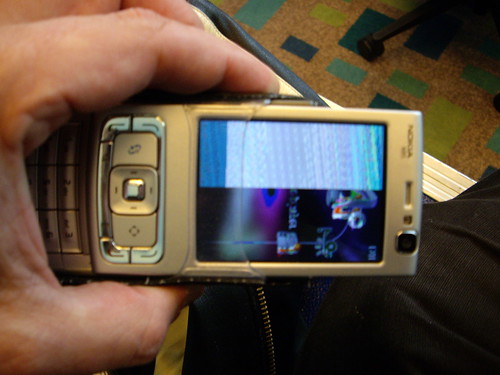
My recent trip to the netherlands and belgium broke my mobile phone. My n95 screen started to go a little mad. It left me out of contact at various conference centres which was a bit annoying.
Luckily the phone still worked a little bit in that I could USB cable to it and SMS in and out.
Now I have spinvox on my voicemail it meant I could ignore calls and wait for a text message from the speech to text. As I could not press a button to answer a call either.
I took the phone to carphone warehouse on Sunday and then replaced the screen by monday. That was a bit of a surprise, it just seems to be fixed. Though next trip I will take my treo 650 as backup :-)
If you ever need to do a hard reset or soft reset on an n95 I found this on the web
It was on this tech[dot]blog It did not help me as such but gave me some things to try.
I have copied the text here in case the link does not work in the future :-)
Here are a couple of codes to soft/hard reset/format a Nokia N95 mobile device:
Soft reset code *#7370#
Hard reset code *#7780#
If the hard format code mentioned aboive does not work, try the following manual method to hard reset/format Nokia N95:
*Turn off the mobile device. Then press and hold “3?, the “Green button” and “*” - Turn on and keep holding the keys untill the mobile phone restarts and prompts you to enter details.
how did you manage to brake it?
ReplyDeleteI just used it. Nothing special, I was actually checking the logs to make sure it was not doing any mad data transfers.
ReplyDeleteIt has a very clunky set of software on it. It sometimes just seems to hang around doing stuff.
Dont get me wrong I like it a lot.
If they can sort out the software, make it a lot less battery hungry (mine hardy lasts a day even if I do nothing with it) then it would be great.
checkout www.n95users.com/forum
ReplyDeleteLoads of help on there.
Micky
You can check your current version of firmware by entering *#0000#
ReplyDeleteIm guessing its quite old, as the older versions were indeed buggy.
V31 is now available for the N95-1